
Business Insider: News & more
Business Insider, Inc.News & Magazines
3.63.97K Reviews
- Version
- 16.13.3
- Installs
- 1.00M
- Age Rating
- Everyone 10+
Screenshots
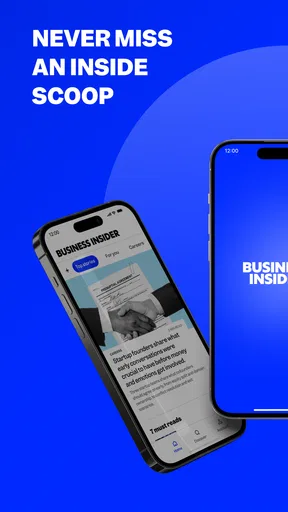
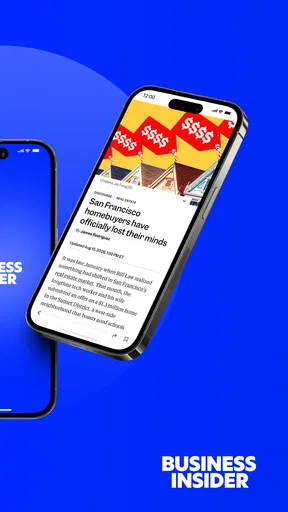
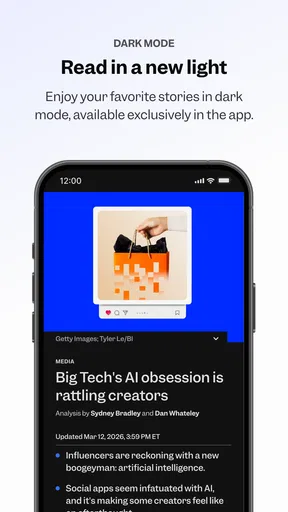
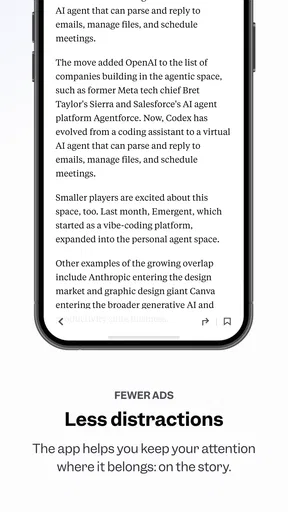
Our Review of Business Insider: News & more
 Analysis by Appyee
I use the Business Insider app as a quick way to catch up on companies, markets, technology, and the people shaping the business world. Its biggest strength is its editorial focus: rather than trying to be a home for every kind of headline, it gives business stories room to explain why they matter. That makes it useful when I have a few minutes between tasks and want more context than a headline alone can provide. It is not a replacement for every news source, but it can be a worthwhile part of a daily reading routine.
How the app fits into a daily news routine
I find a business-news app works best when it has a clear place in my day, rather than competing with every alert and headline on my phone. This section looks at a simple routine for choosing what to read, when to save it, and how to keep a focused feed from becoming too narrow.
A business-focused mix, not an all-purpose newspaper
Business Insider is a news and magazines app from Business Insider, Inc. I find its range helpful because business news often spills into subjects that affect everyday life: technology choices, retail habits, workplace trends, and changes in finance. The mix can make a session feel less like reading a specialist report and more like following the connections between companies and the world around them.
That breadth is also a matter of taste. If you mainly want local alerts, live sports, political coverage, or a tightly focused market terminal, a general news app or a specialist service may suit you better. Business Insider is most useful when you want reporting and analysis with a business lens, not when you expect every major story to be covered with equal depth.
Keeping the reading experience under control
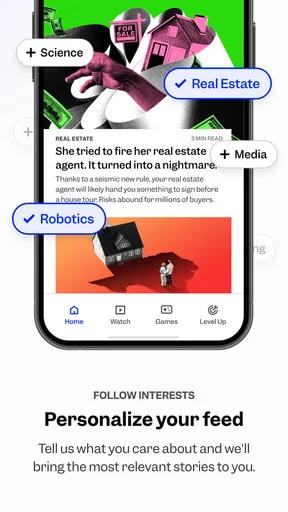
The app’s feed personalization can help make a broad publication feel more relevant. I would use it to emphasize the subjects I actually follow, then still scan the wider headlines now and again. That balance matters: a highly tailored feed saves time, but checking beyond it can surface stories that connect to your interests in unexpected ways.
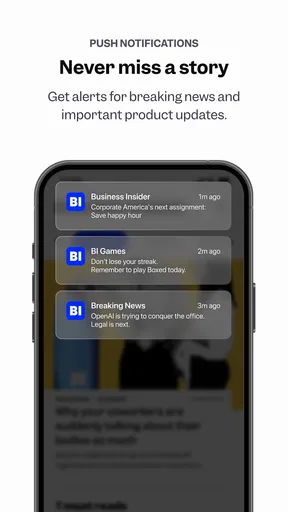
Notifications work best when treated as a small filter rather than a second feed. I’d enable alerts for only the topics where timing matters to me and leave the rest for a deliberate reading session. That way, a phone alert can flag an important development without turning every quiet moment into another round of checking headlines.
Offline reading is most useful when planned
The offline reading option is practical when I know I’ll be without a reliable connection, but it rewards a little preparation. Before leaving home or heading into a commute, I would open the app and save the articles I actually intend to finish. That is more dependable than waiting until a train enters a tunnel or a connection drops and hoping the next story is already available.
It also changes how I choose what to read. I would save a longer analysis for a stretch of uninterrupted time and keep shorter pieces for brief waits. Offline access is a convenience, not a guarantee that every part of the app will behave like a downloaded publication; the useful habit is to treat it as a way to carry selected reading, rather than as a full substitute for being online.
Who is likely to get the most from it?
I would recommend trying it if you follow businesses, technology, finance, or work trends and want a readable route into the stories behind them. Students can use it to keep examples of current business issues in view, while people working in a related field may appreciate having reporting to discuss or investigate further. Curious readers who do not work in business can also find value in stories that explain how corporate decisions touch customers and employees.
On the other hand, I would not make it my only source if I needed comprehensive coverage across local affairs, science, culture, or breaking events in every region. Nor would I choose it as a substitute for original filings, company announcements, or professional financial research when a decision depends on primary evidence. Its role is to help me follow and understand the news, not to remove the need to check source material when accuracy has direct consequences.
What a realistic day with the app looks like
On a busy morning, I might scan the headlines while having coffee, open one story that connects to a company or industry I follow, and save a longer read for the journey later. If a developing story is especially relevant, a carefully chosen notification can bring it to my attention; otherwise, I can return to the feed when I have time. This is a more useful routine than tapping every alert, because it gives the app a defined job instead of letting it interrupt the whole day.
For students or readers building a broader understanding, I would take one extra step: note the companies, people, or terms that recur, then look for follow-up reporting rather than treating a single article as the final word. Business coverage becomes clearer when separate stories are connected over time. The app can make those starting points easy to find, while comparison with other reporting helps reveal which details are widely established and which reflect a particular interpretation.
How it compares with other ways to follow news
Compared with a general-purpose news aggregator, Business Insider offers a more consistent business perspective, which can spare me from sorting through a large mix of unrelated headlines. An aggregator may be better when I want many publishers, local coverage, or a wide range of subjects in one place. Compared with a financial news service, this app is aimed more at accessible reporting and stories than at serving as a specialist tool for rapid market decisions.
There is a trade-off in choosing an editorially focused app: a coherent reading experience is convenient, but it is still one publication’s selection and framing. When a story matters to my work or finances, I use it as a starting point and compare the account with other reputable coverage or primary documents. That habit is especially useful for opinion and analysis, which can clarify an argument without being the same thing as independently verified fact.
Cost, access, and practical expectations
The app is free to install, and it includes in-app purchases priced from about $9.49 to $99.99 per item. I would check the purchase details shown in the app before committing, and think about how often I read its material rather than assuming that installing it automatically gives access to every possible offering. If I only want occasional headlines, I may not need to spend anything; frequent readers should decide whether the available paid options match their habits and budget.
It is rated for Everyone 10+, and its average rating is 3.6 from around 39,000 ratings, with roughly 4,000 written reviews. More than a million people have installed it. Those figures suggest a substantial audience but also mixed reactions, so I would treat them as context rather than a promise that the app will suit me. The best test is whether its coverage, reading flow, and alert choices work for my own routine.
Version history and what it means for existing readers
The app began on January 27, 2012, and its current version is 16.7.0. That long span points to a product that has continued through many rounds of software change, but a version number alone does not tell me which individual features were added or how any particular update altered the experience. I would judge the current release by whether the basics I rely on—finding stories, adjusting my feed, receiving useful alerts, and preparing articles for offline reading—work smoothly on my device.
For someone already using it, an update is worth approaching as a practical check rather than a reason to expect a dramatic redesign. If the app behaves differently after updating, I would first review notification and feed preferences, since those settings have a direct effect on what appears and when. For a new reader, the current version is the relevant starting point; the app’s history is useful context, but it is no substitute for seeing whether its present-day coverage fits.
Where it can frustrate, and what to watch
The main limitation is not a missing headline count but the simple fact that no single publication can be the best source for every reader or every subject. A broad business mix may still feel too narrow if my interests are elsewhere, while a personalized feed can become repetitive if I never look beyond the topics I already follow. I would also keep notifications selective: even useful alerts can become noise when too many subjects are switched on.
As I keep using it, I would watch whether the personalization continues to surface worthwhile stories, whether offline preparation fits my routine, and whether any paid options offer value for the way I read. I would also notice how often an article gives enough background for a newcomer versus assuming prior familiarity with a company or industry. These are more useful measures than expecting every update to bring a visible new feature.
My take after weighing the trade-offs
Ever found yourself endlessly scrolling through news feeds, trying to find the most engaging and relevant business news? Well, let me take you on a little journey through the Business Insider app, an absolute gem in the world of business news. Trust me, this is one app you’ll want to have on your phone.
Now, I know what you're thinking—another news app? Hear me out. What sets Business Insider apart is its knack for delivering the juiciest stories with an insider’s perspective. You're not just getting the news; you're getting a deep dive into the business world, and it's all wrapped up in a sleek, user-friendly package.
Content That Keeps You Hooked
One of my favorite things about the app is its variety of content. Whether you’re interested in tech, finance, retail, or even lifestyle, there's something for everyone. The articles are well-written, engaging, and often sprinkled with a bit of humor, making them super enjoyable to read. Plus, they’re always up-to-date, so you’re never out of the loop.
The app also features insightful analysis and opinion pieces from industry experts, offering perspectives that you might not find elsewhere. It’s like having a team of business gurus right in your pocket. How cool is that?
User-Friendly Interface
Let’s talk about the interface. It’s clean, minimalistic, and easy to navigate. Even if you’re not the most tech-savvy person out there, you’ll have no trouble finding what you’re looking for. Swipe, scroll, and tap your way through the latest headlines without any hassle. The app also allows you to personalize your feed, so you can focus on the topics that matter most to you.
Features That Make Life Easier
One feature I absolutely love is the offline reading mode. We all know how annoying it is when you lose internet connection at the worst possible moment. With Business Insider, you can download articles to read later, ensuring you’re never without your daily dose of business news.
Another nifty feature is the push notifications. They’re not overwhelming, and you can customize them to receive alerts only for the topics you're interested in. It’s a great way to stay informed without feeling bombarded.
The Verdict
So, is the Business Insider app worth the download? Absolutely. Whether you’re a business professional, a student, or just someone who likes to stay informed, this app has something for you. It’s informative, easy to use, and keeps you connected with the ever-evolving business landscape.
In a world flooded with information, Business Insider helps you cut through the noise to find the stories that truly matter. So go ahead and give it a try. Who knows, it might just become your go-to source for business news.
Verdict
Strengths of Business Insider: News & more
- Comprehensive business news coverage.
- User-friendly and intuitive interface.
- Regular updates with breaking news.
- In-depth analysis from industry experts.
- Customizable notifications for key topics.
Limitations of Business Insider: News & more
- Limited free content, requires subscription.
- Occasional ads disrupt browsing experience.
- Some articles may load slowly.
- No offline reading mode available.
- Comment section lacks active moderation.
Similar Picks in This Category
View All
Google News - Daily Headlines
Google LLC4.0

X
X Corp.4.8

Flipboard:Your Social Magazine
Flipboard3.4

Opera News: breaking & local
Opera4.5

Hindi News by Dainik Bhaskar
Dainik Bhaskar Group4.0

Way2News Daily News App
Way2News ( Formerly Way2SMS )4.6
Frequently Asked Questions
What features does the Business Insider app offer?
The Business Insider app provides users with access to the latest global business news, insightful analysis, and exclusive stories. It features a personalized news feed, push notifications for breaking news, and offline reading capabilities. Users can also watch videos and listen to podcasts directly within the app.
Is the Business Insider app free to use?
The Business Insider app is free to download and offers access to a selection of articles. However, some content may be limited to subscribers only. Users can choose to subscribe for full access to all articles, in-depth reports, and additional features like ad-free browsing.
How can I customize my news feed in the Business Insider app?
Within the Business Insider app, users can personalize their news feed by selecting preferred topics and industries. The app allows customization based on interests such as technology, finance, markets, or politics, ensuring that users receive the most relevant news tailored to their preferences.
Does the Business Insider app support offline reading?
Yes, the Business Insider app supports offline reading. Users can save articles to read later when they don't have an internet connection. This feature is particularly useful for those who want to catch up on news while traveling or in areas with limited connectivity.
What devices are compatible with the Business Insider app?
The Business Insider app is available for both Android and iOS devices. It requires Android 5.0 or later and iOS 12.0 or later to function optimally. The app is designed to work seamlessly on smartphones and tablets, providing a smooth user experience across different devices.
